

Getting started as a homestay host: your first listing in 5 minutes
From a new account to a bookable listing, step by step with pictures and a video.
A new UrusPro account starts with one button: Add your first listing. This guide follows every screen, from picking Homestay to tapping Publish, with pictures and a video. Most hosts finish in five minutes, and the listing goes live after our team checks it, usually within 15 minutes.
The pictures and video use example data, not a real business.
Watch first: the full video
Step by step
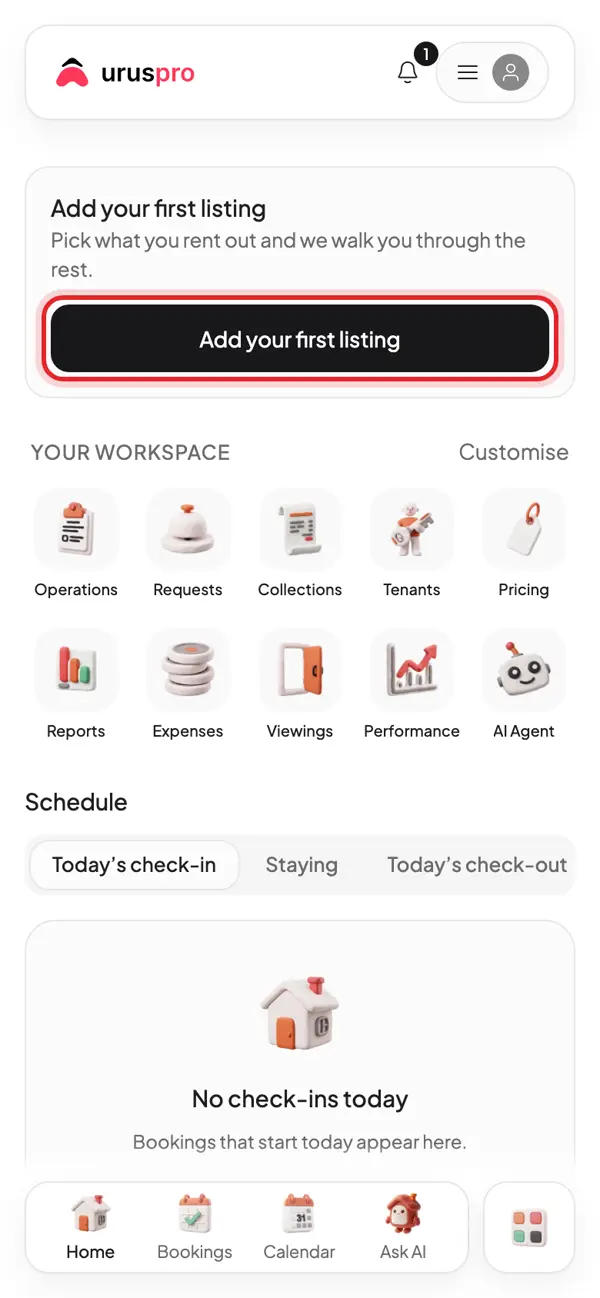
A new account starts on Home. Tap Add your first listing.
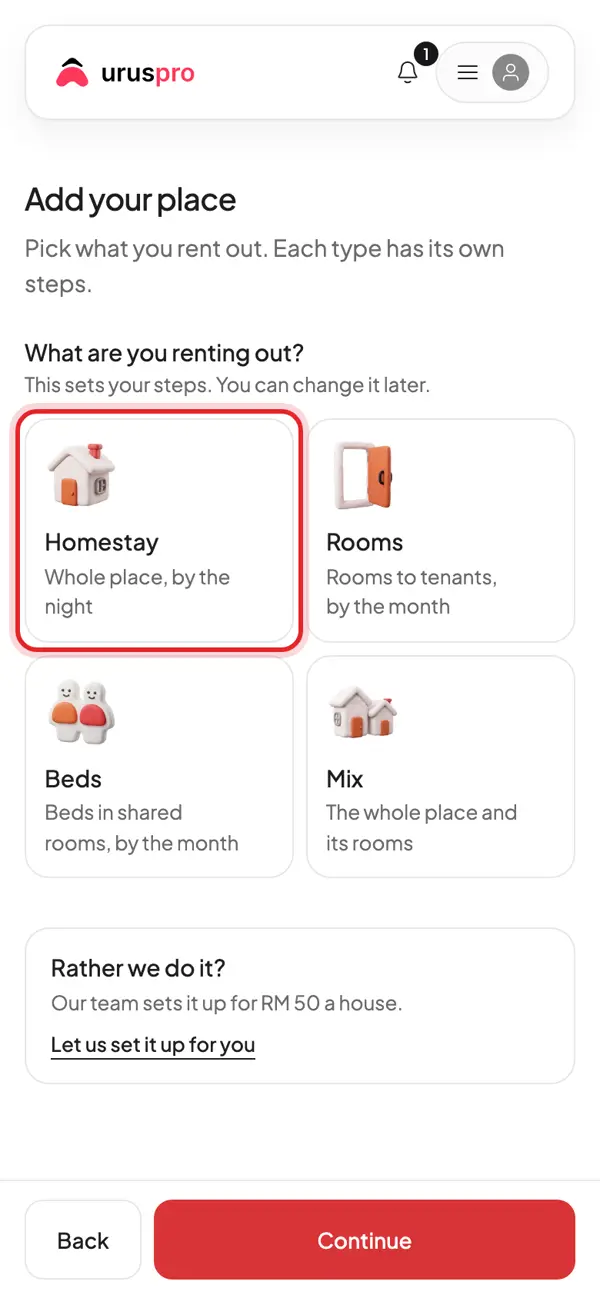
Pick Homestay: the whole place, rented by the night.
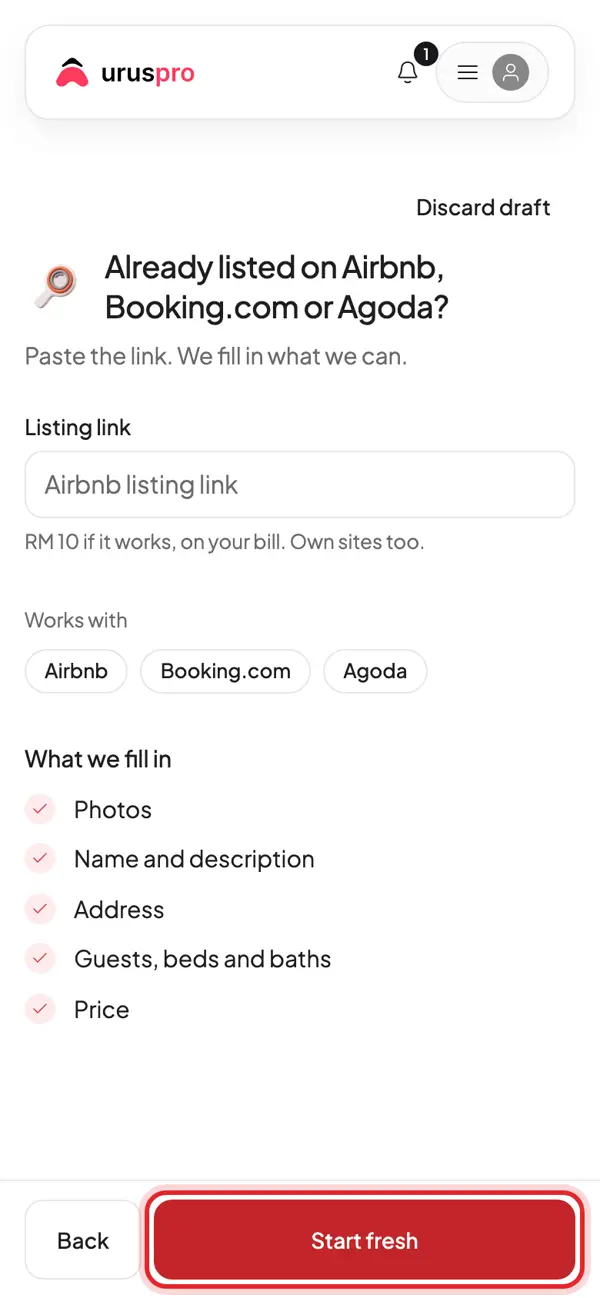
Already on Airbnb or Booking.com? Paste the link and we fill it in. If not, tap Start fresh.
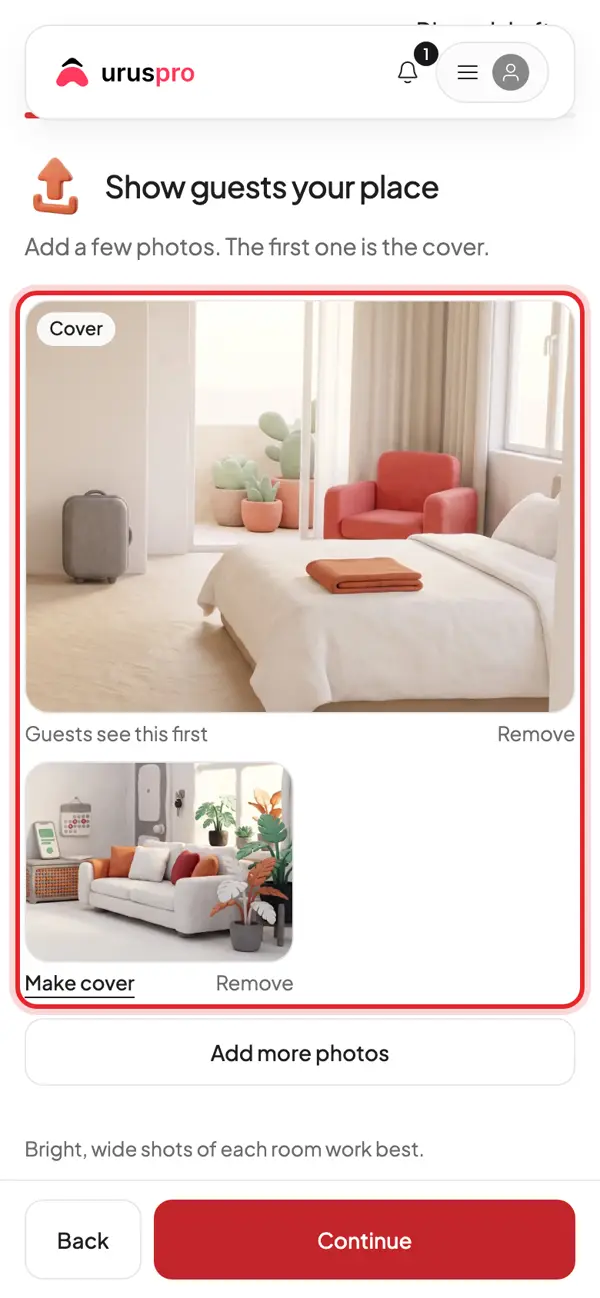
Add photos from your phone. The first one is the cover; tap Make cover to change it.
The basics: how many guests, bedrooms and beds, and nightly or monthly stays.
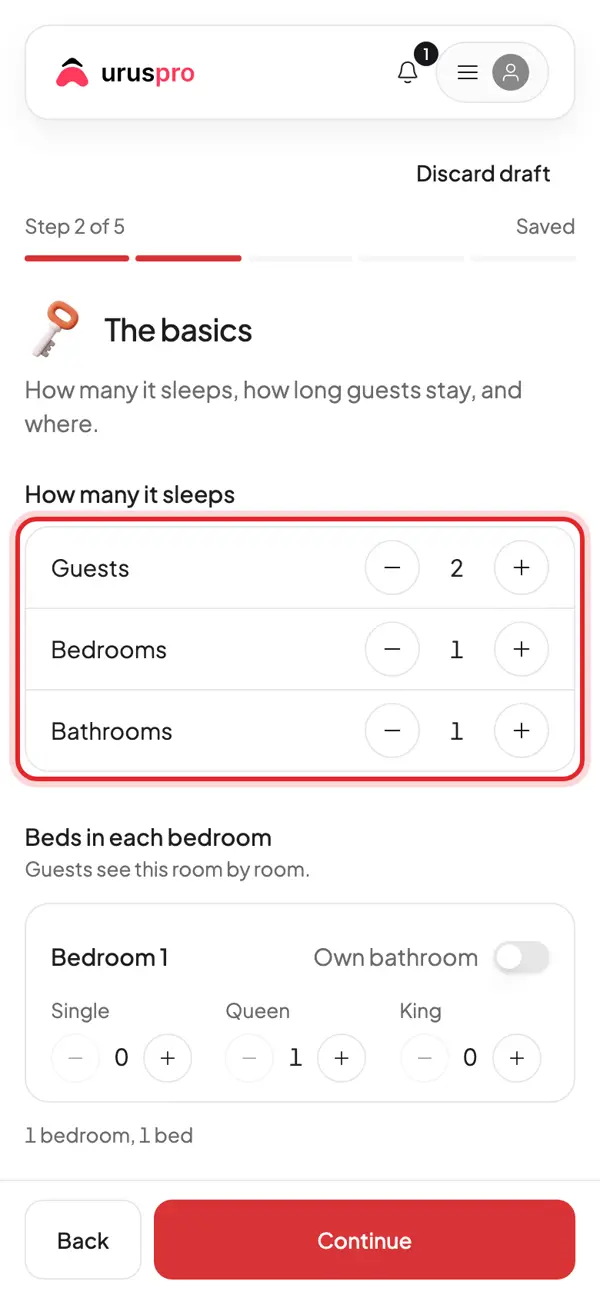
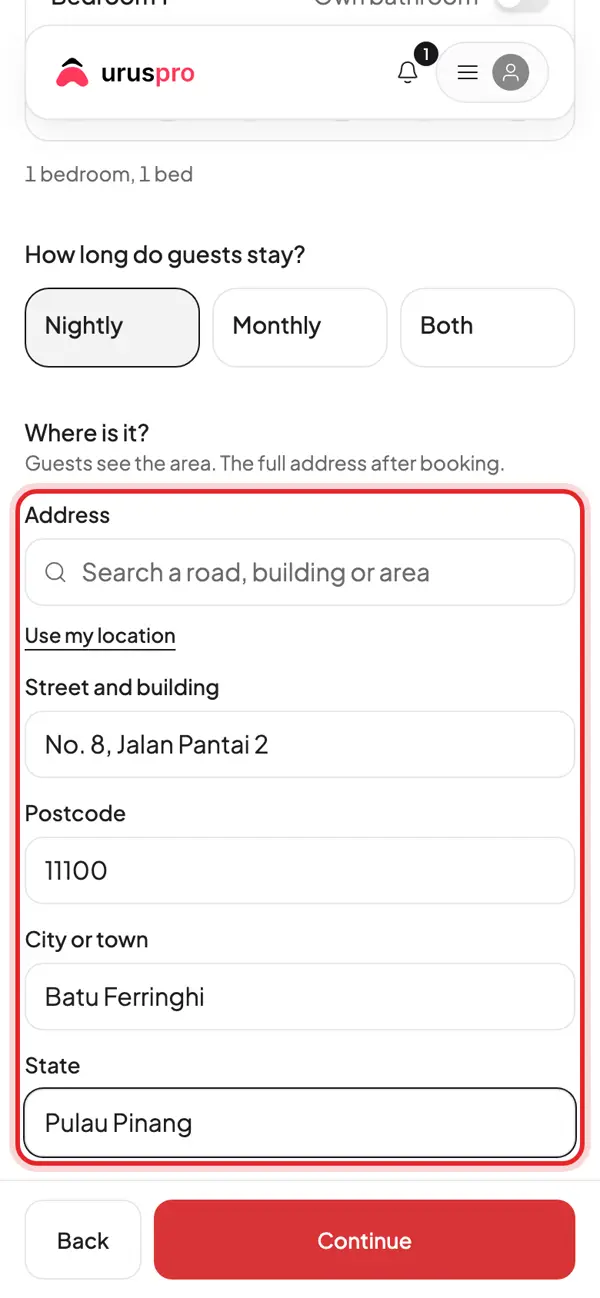
Scroll to the location and fill in the address. Guests only see the area until they book.
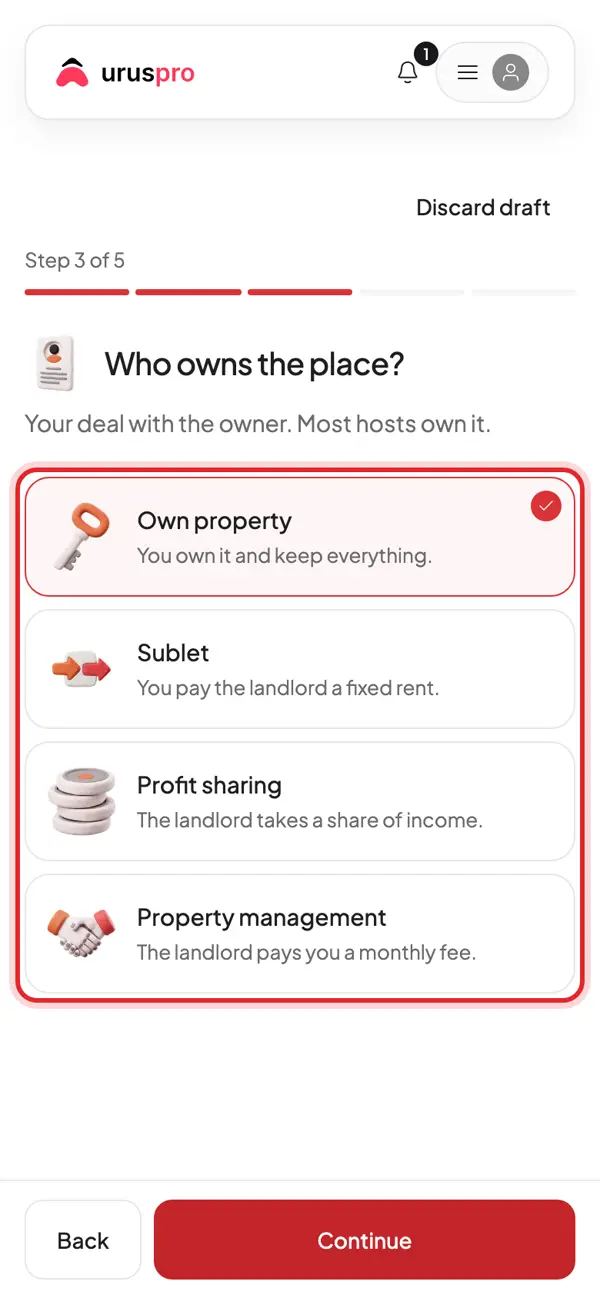
Who owns the place? Most hosts pick Own property. Sublet and profit sharing are there too.
Give it a name and a description of 40+ characters. Stuck? Write with AI drafts one from your photos.
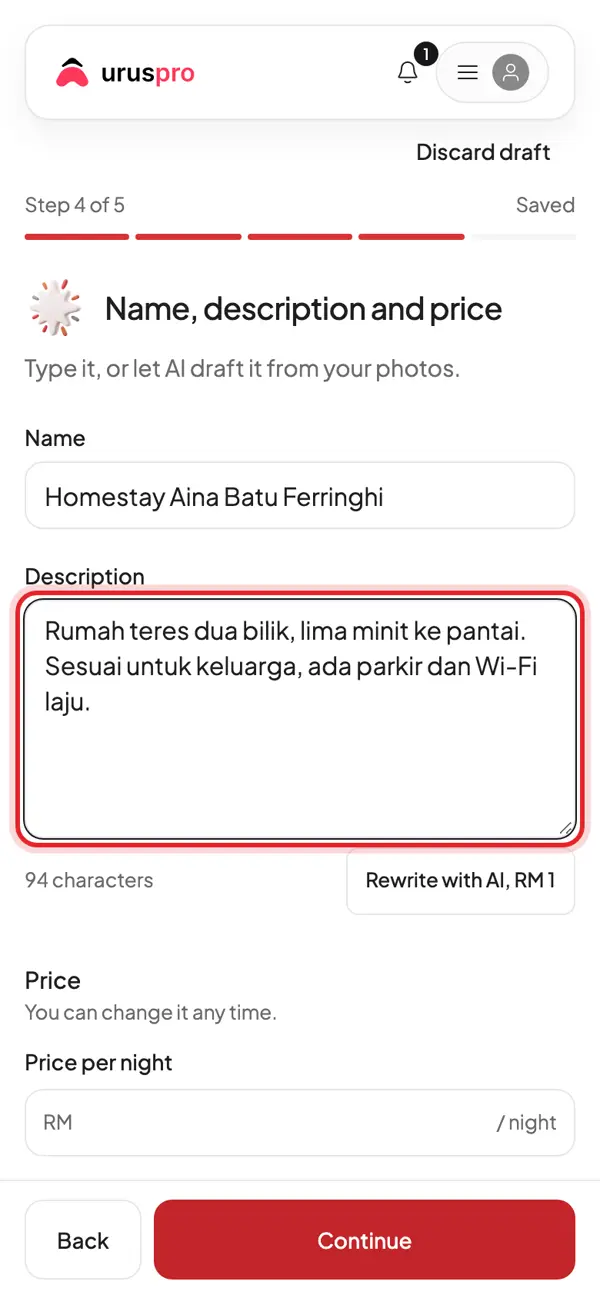
Enter the price per night. Weekend and holiday prices can be added later in Pricing.
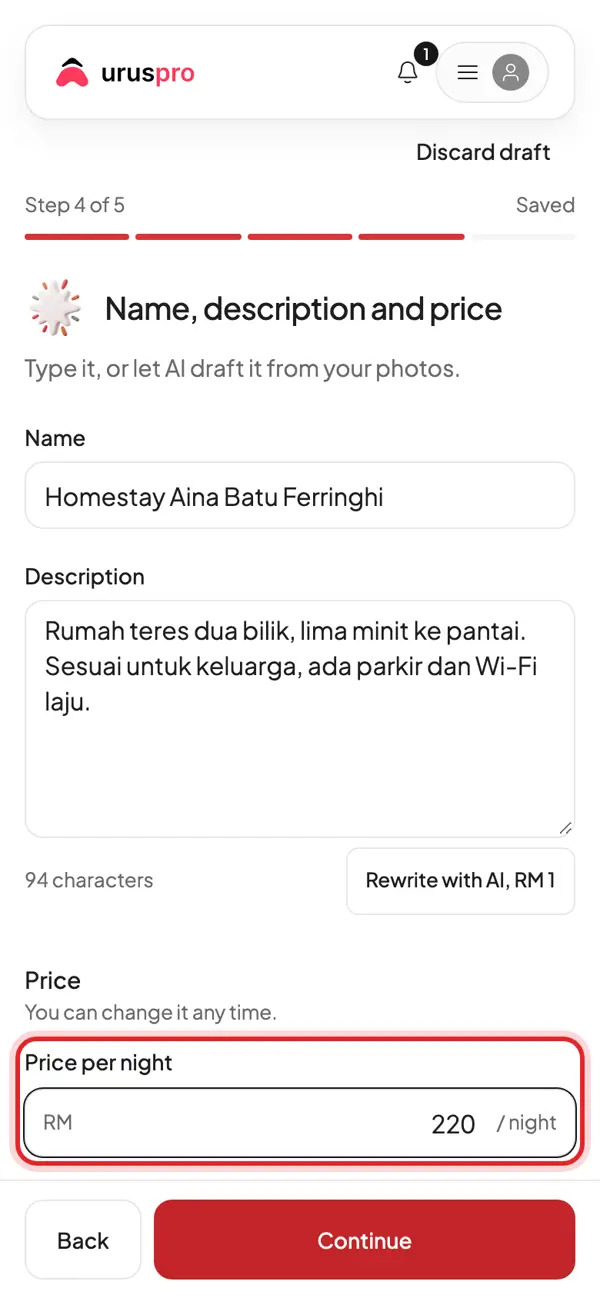
Last step: check the list. Each item must be done before guests can book.
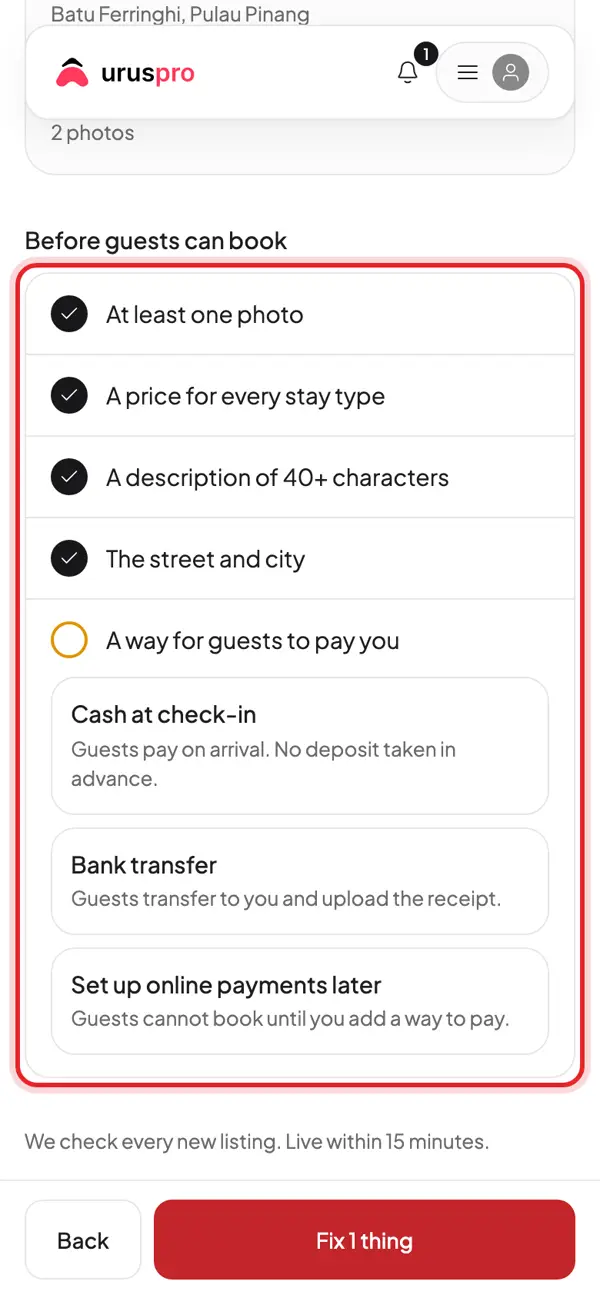
Choose how guests pay you. Cash at check-in is the easiest start; add a bank account later.
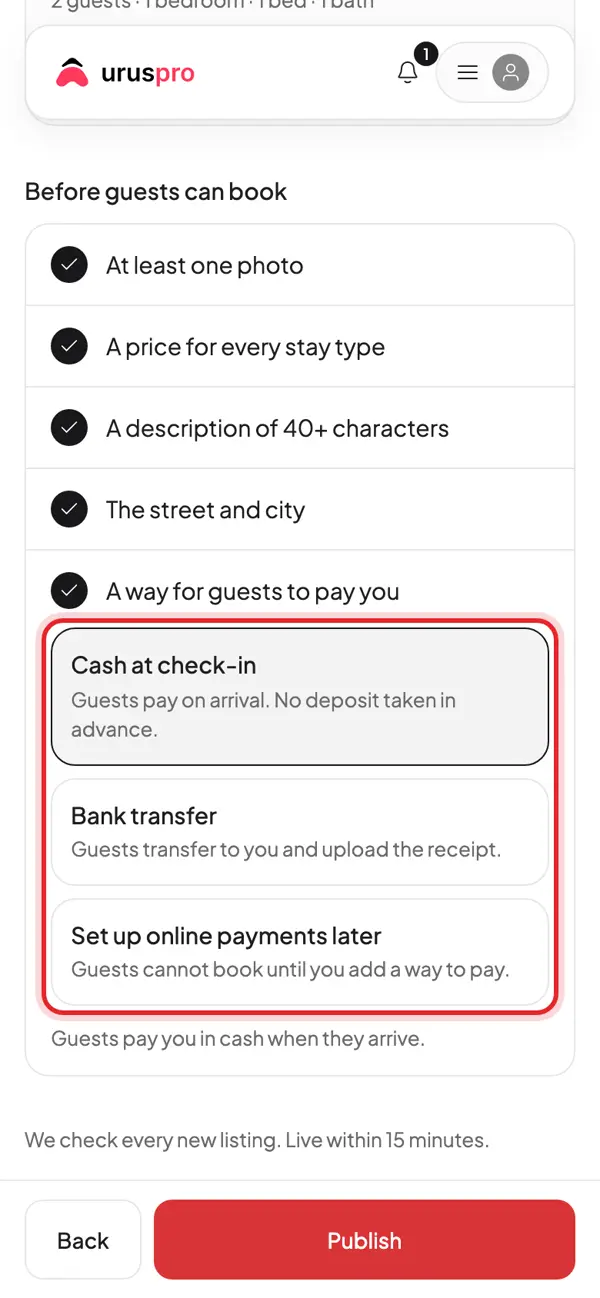
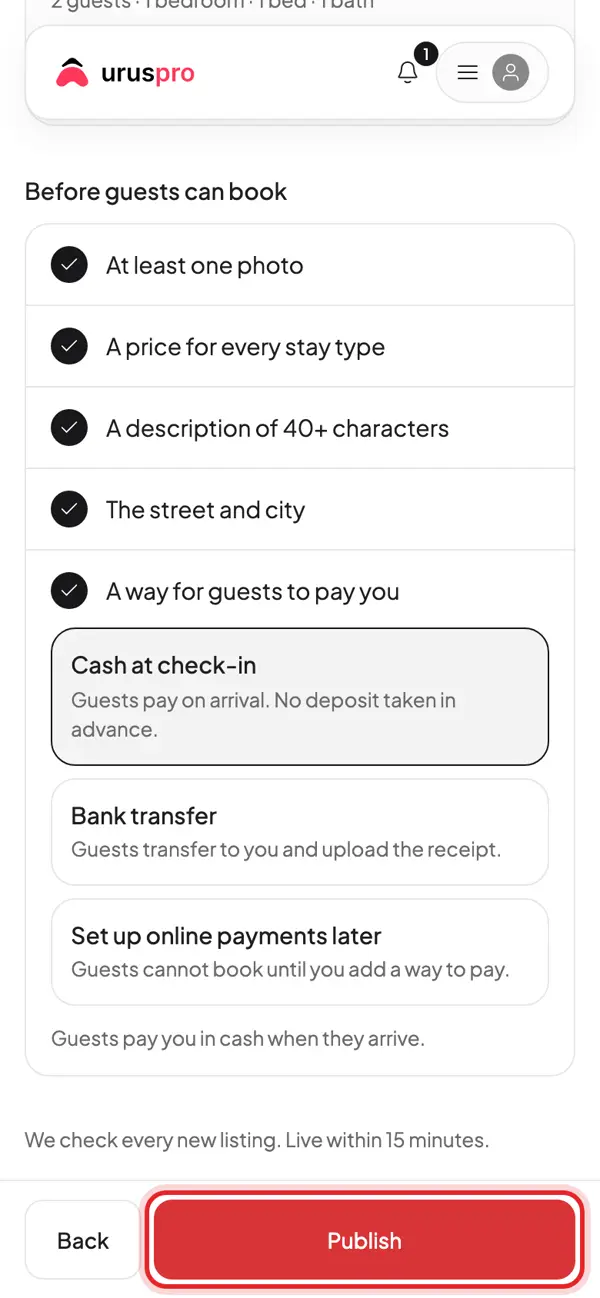
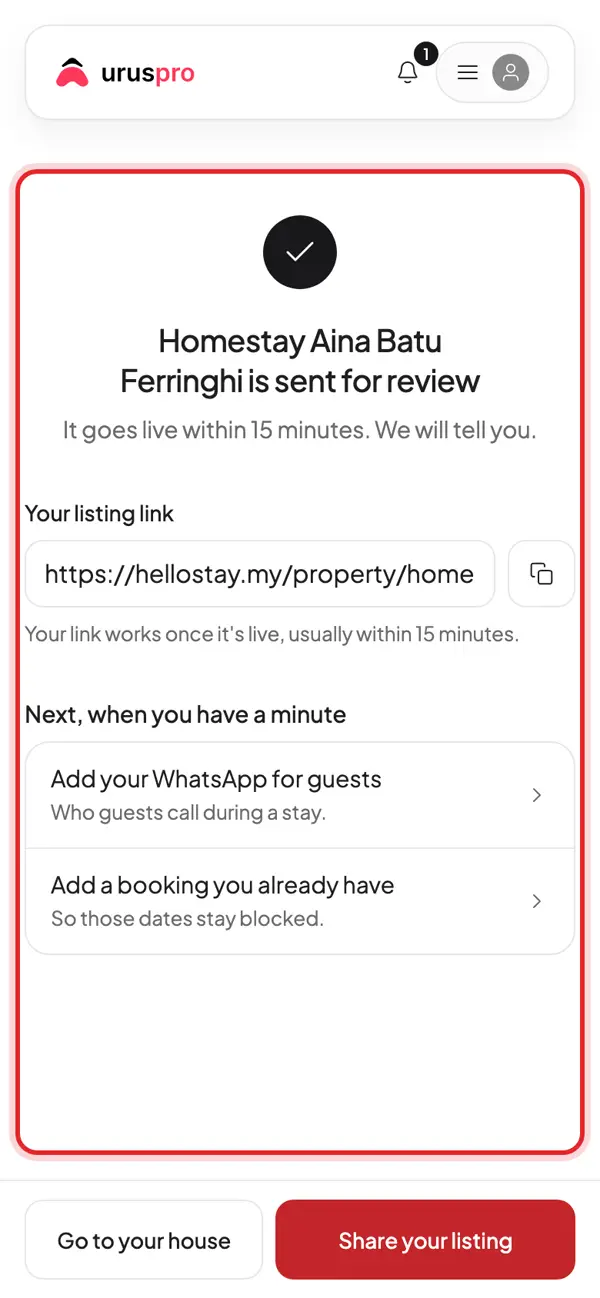
Tap Publish. The UrusPro team checks every new listing, usually within 15 minutes.
Done. Copy your listing link to share on WhatsApp and social media.
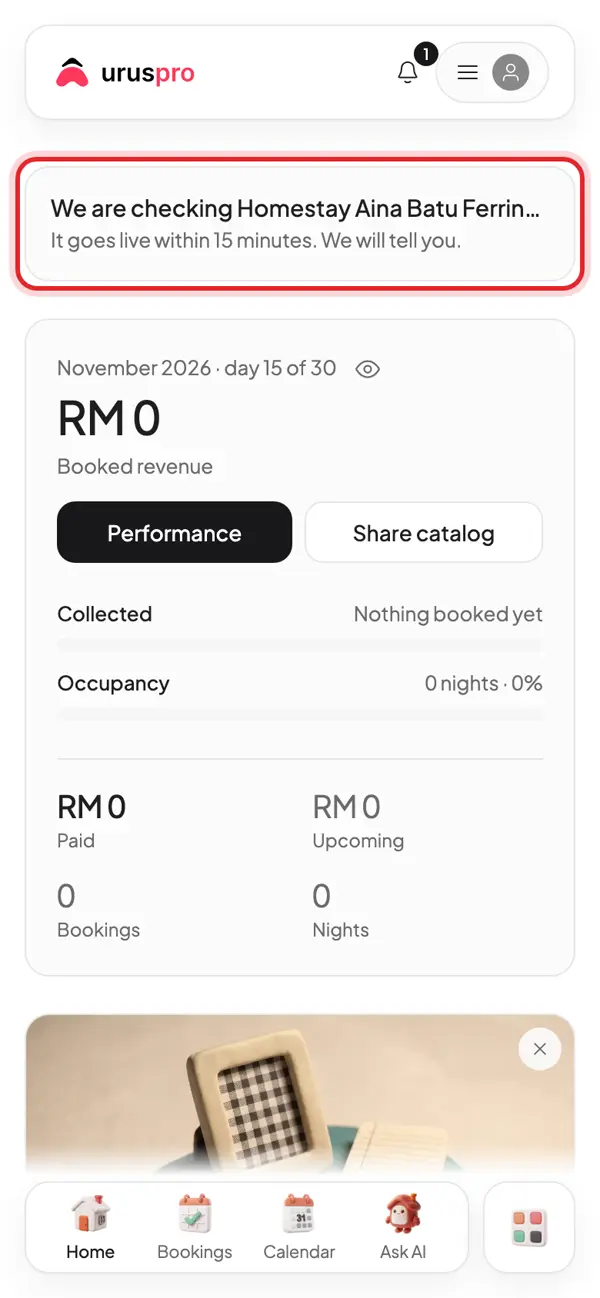
Back on Home: the top card shows the listing under review. Once live, your first booking shows here.
Common questions
Do I need an Airbnb listing first?
No. Tap Start fresh and fill it in yourself. If you are already on Airbnb, Booking.com or Agoda, paste the link and we fill in the photos, name and price for you.
Can I change the price after publishing?
Yes, any time. Weekend, holiday and minimum prices live in Pricing.
Why can guests not see my listing yet?
Every new listing is checked by the UrusPro team before it goes live, usually within 15 minutes. The card on Home tells you when it is live.