

A day with UrusPro: a rental owner's daily routine
Check arrears, record payments, send reminders, split house bills and follow repair reports.
This is a day of running rentals with UrusPro: know who is late, record the rent that comes in, send reminders on WhatsApp, split water and electricity bills, and follow repair reports to done. Every step has a picture and a video.
The pictures and video use example data, not a real business.
Watch first: the full video
Step by step
Morning. On Home, the Overdue tenants card shows who is late with rent and by how much.
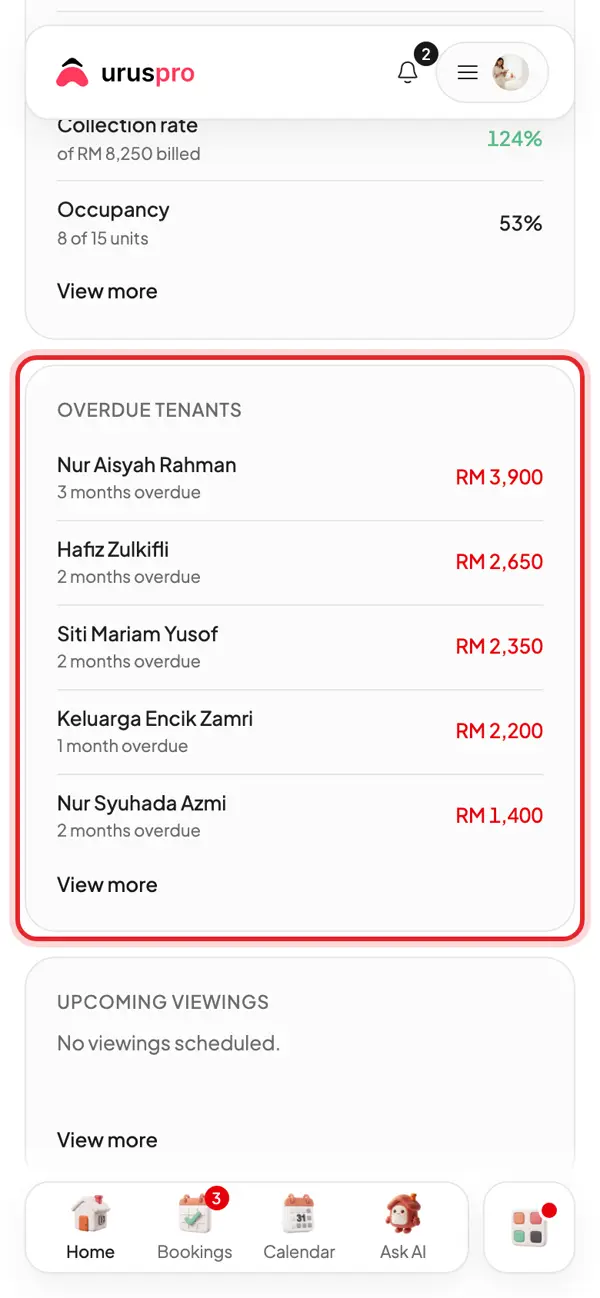
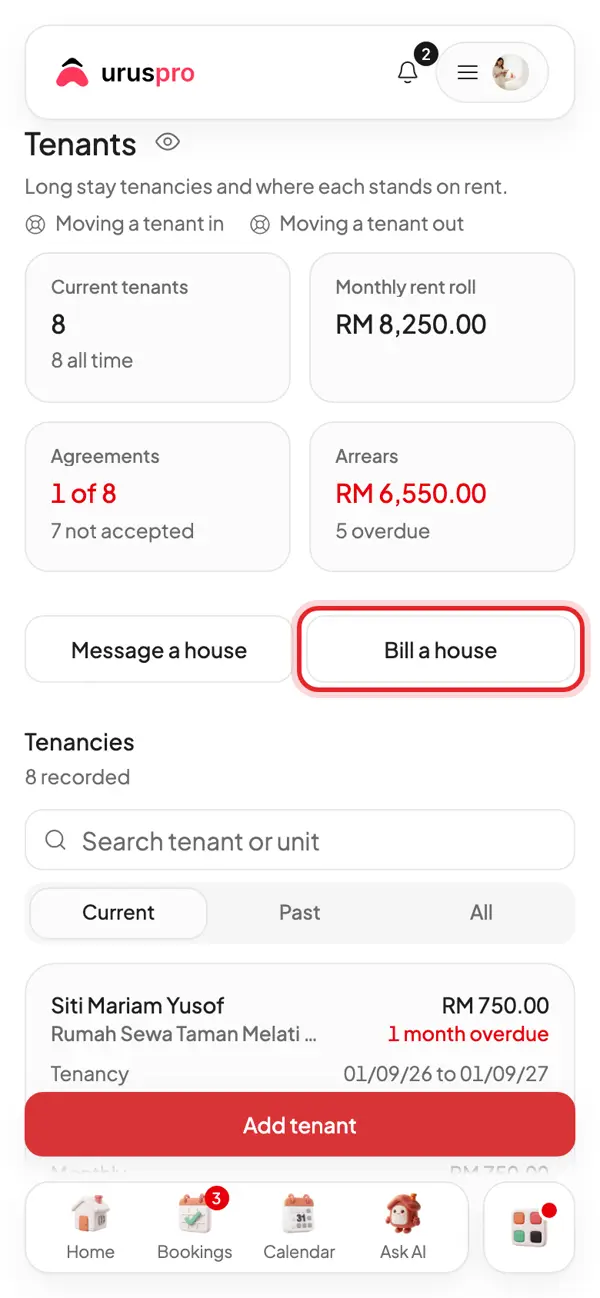
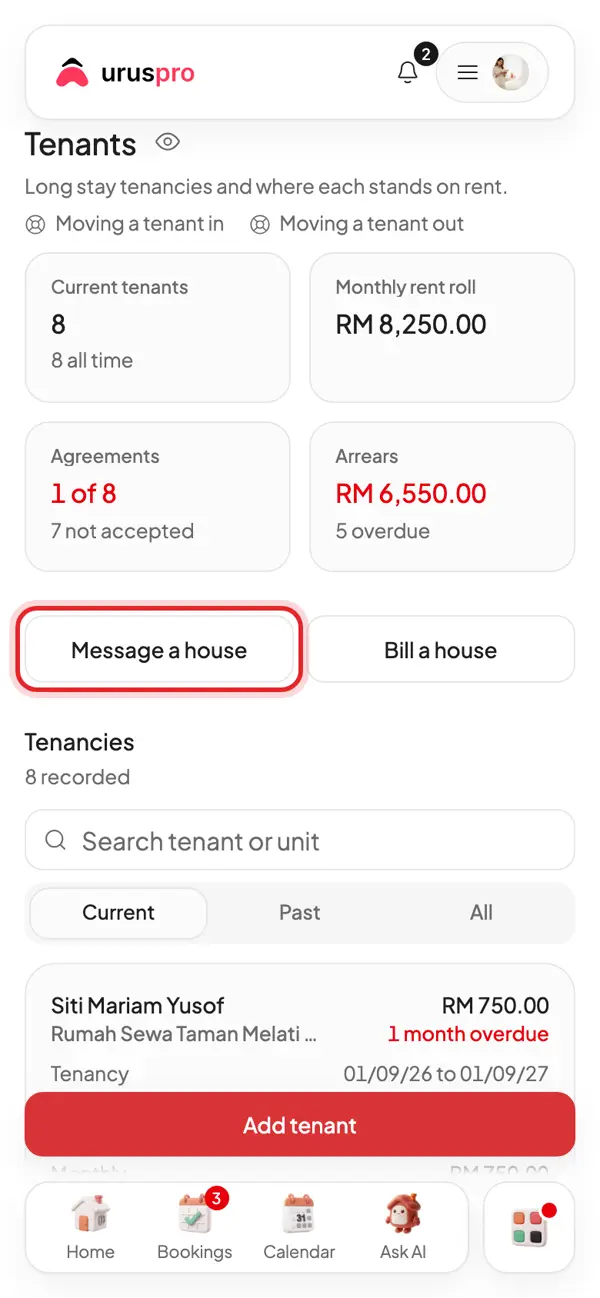
Open Tenants. See how many tenants you have, the monthly rent roll and total arrears.
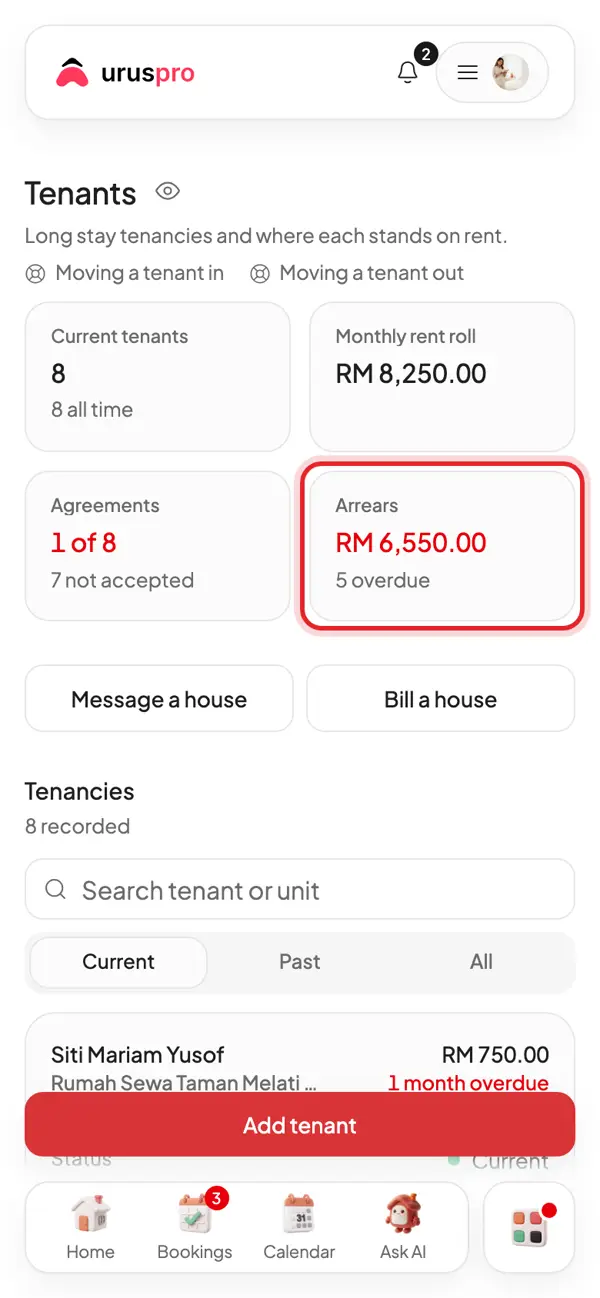
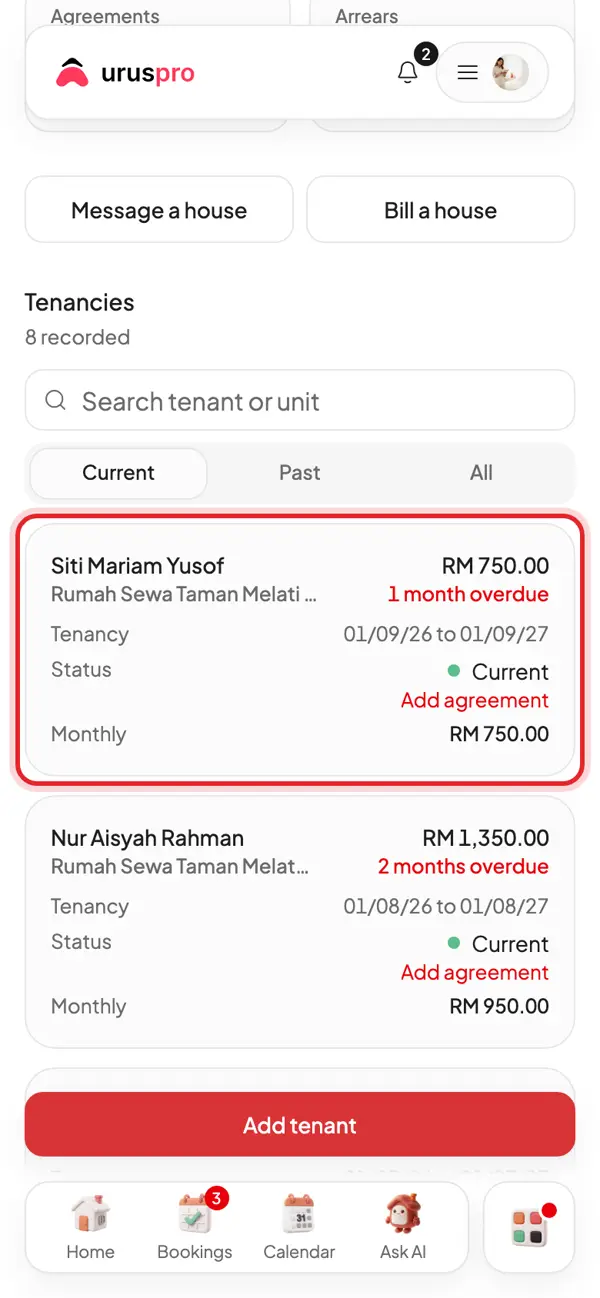
Each tenant has a card: room, tenancy dates and payment status. Tap a card to open it.
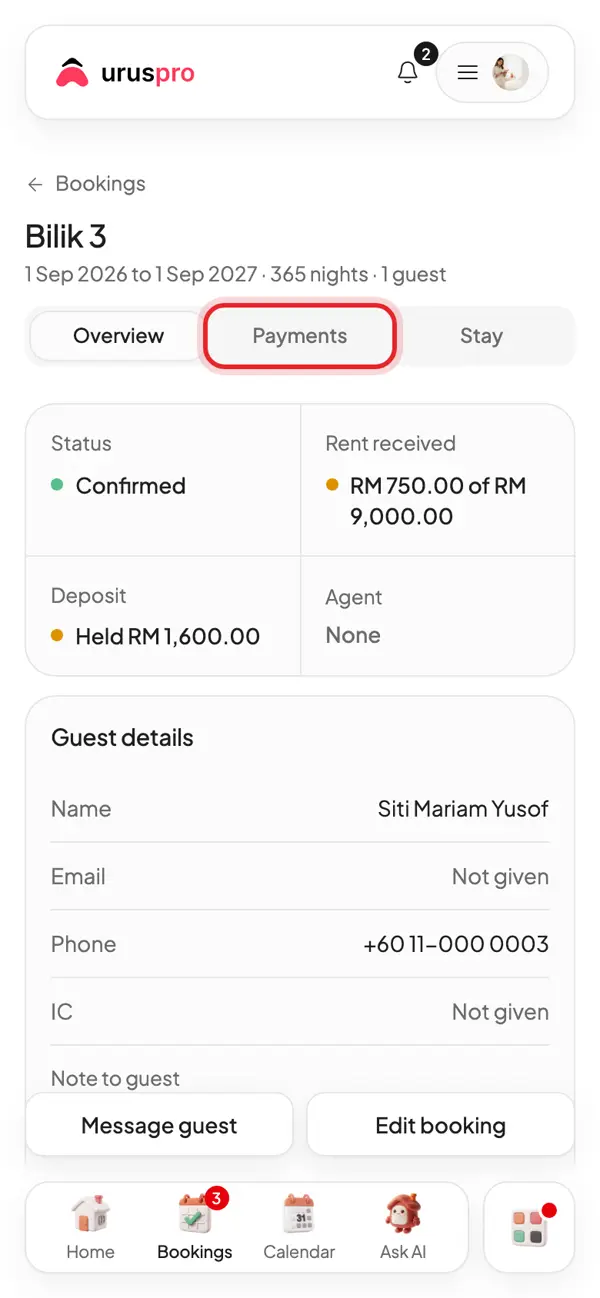
Inside the tenancy, tap the Payments tab.
Rent ledger: the balance due, what has been paid and the rent schedule month by month.
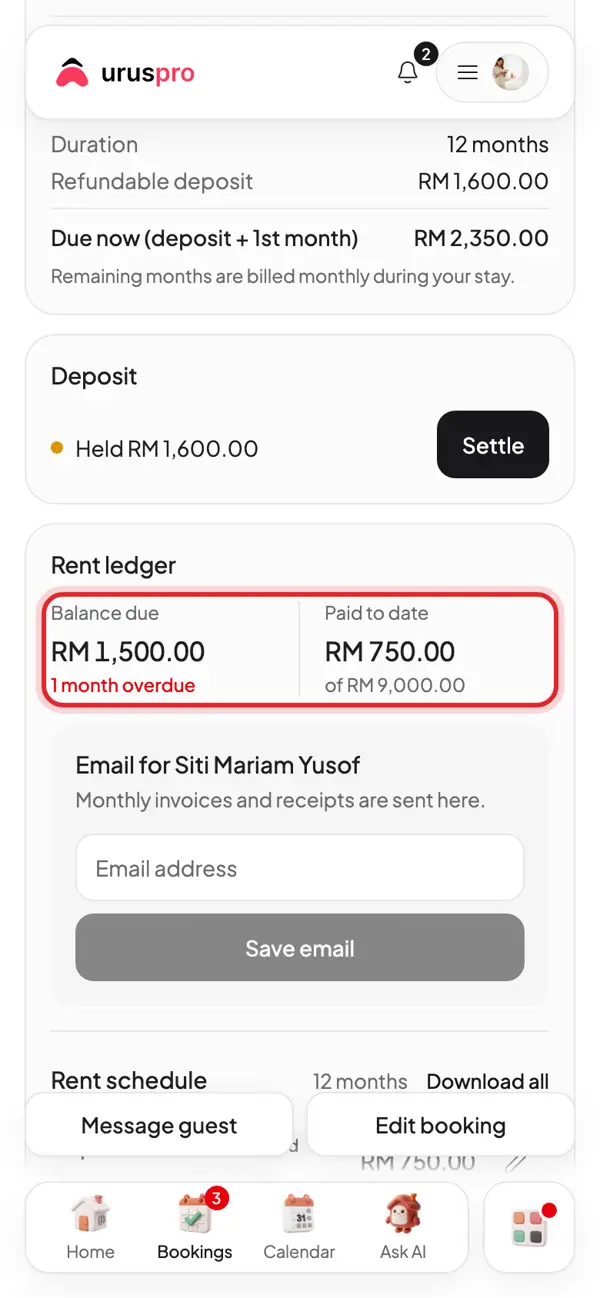
Tenant paid by cash or transfer? Tap Record payment on that month.
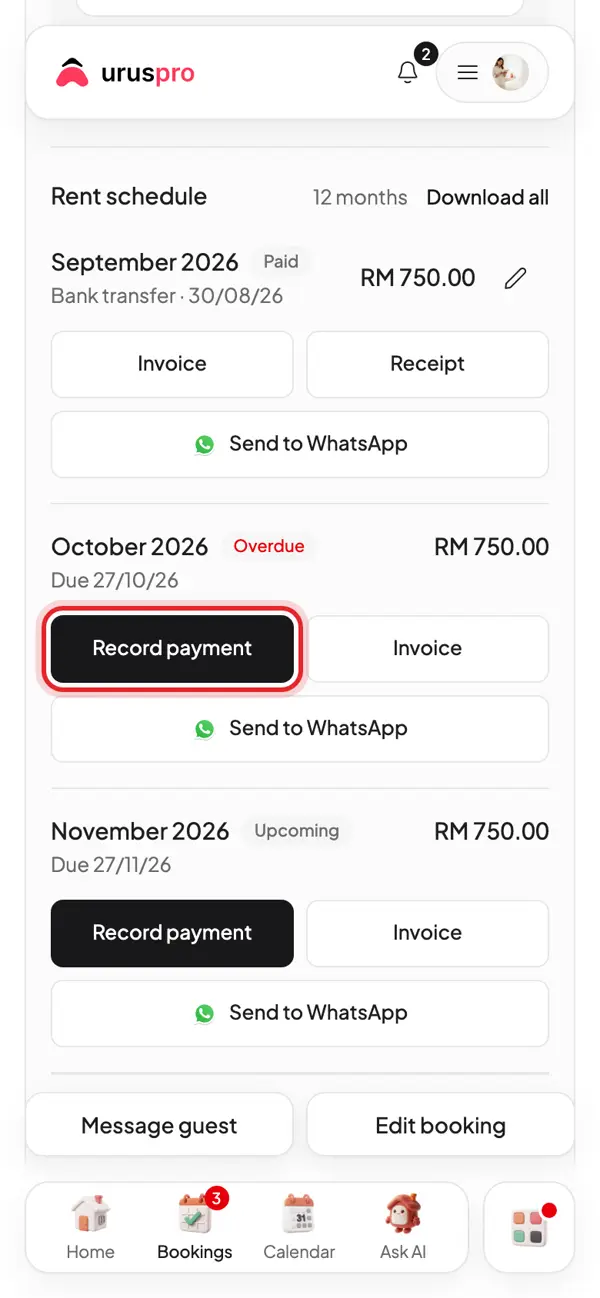
Fill in the amount, method and date, then save. The receipt is made for you.
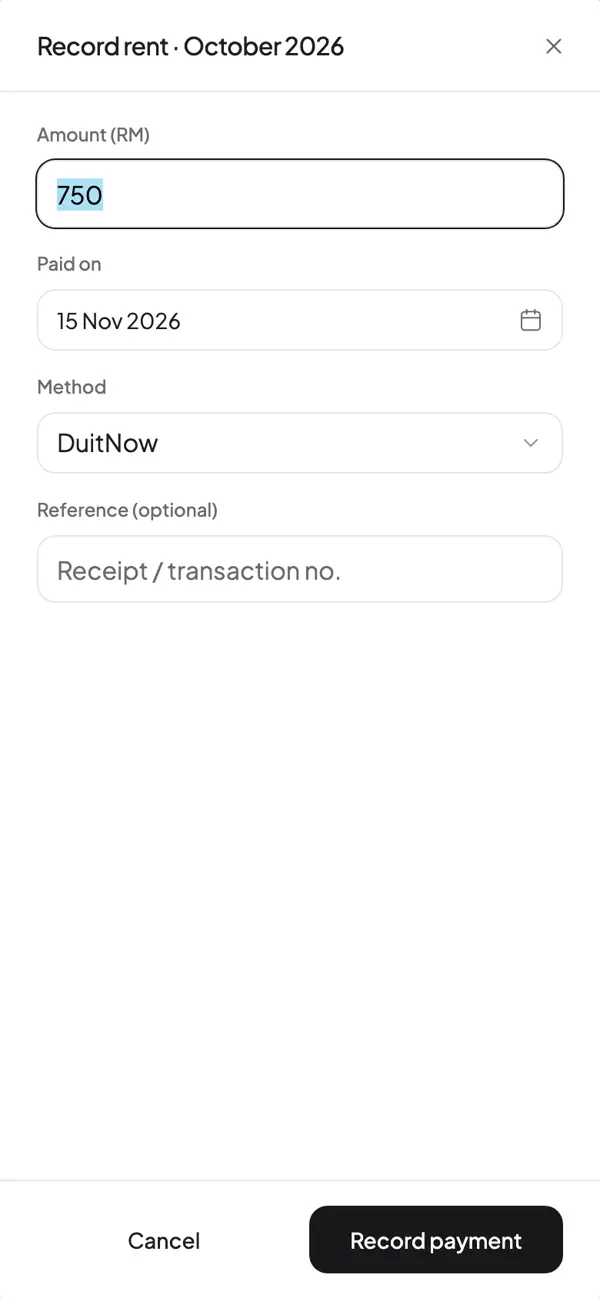
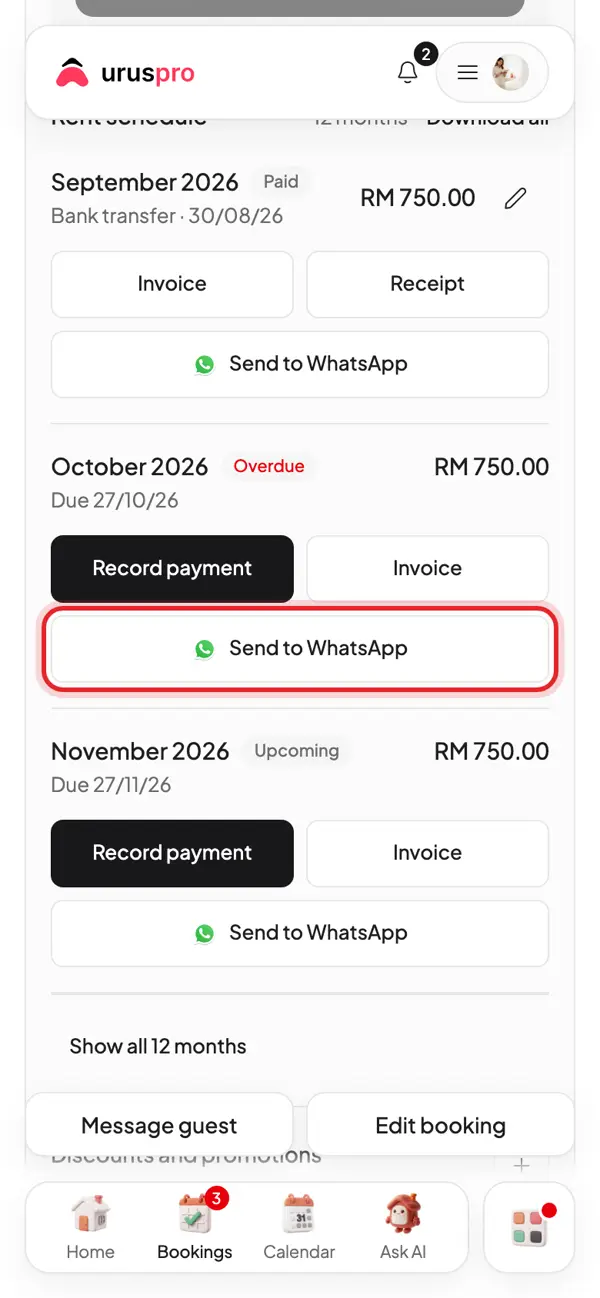
Want to remind the tenant? Tap Send to WhatsApp to send that month's invoice.
Collections: every bill your tenants owe in one list, with outstanding and overdue totals.
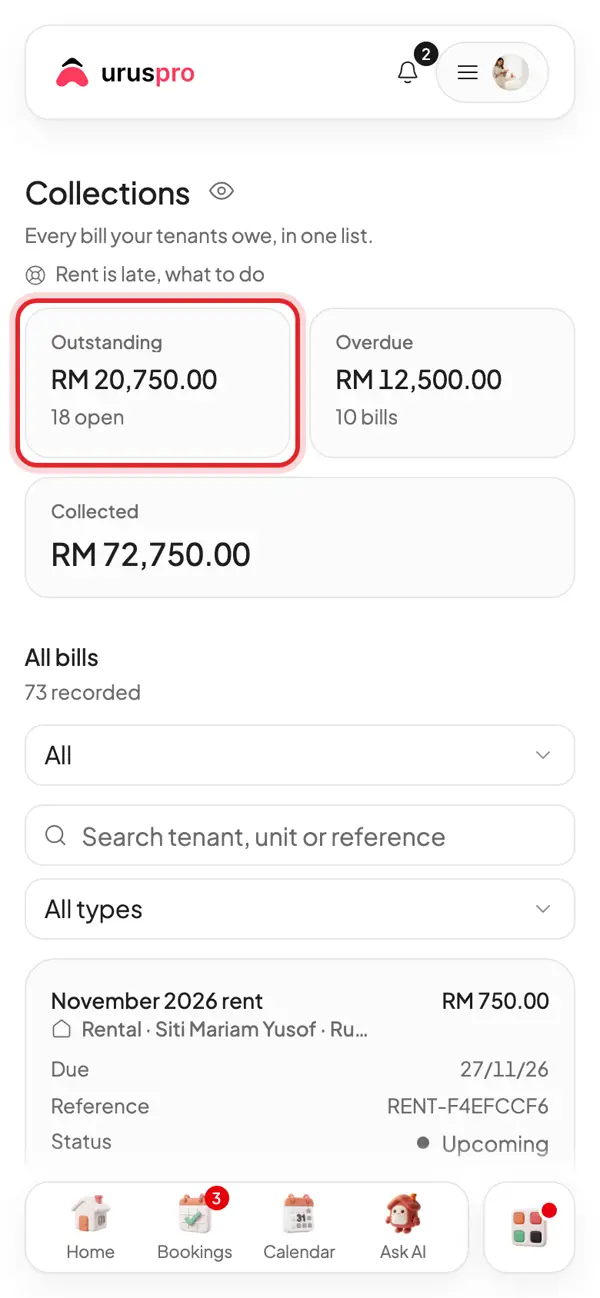
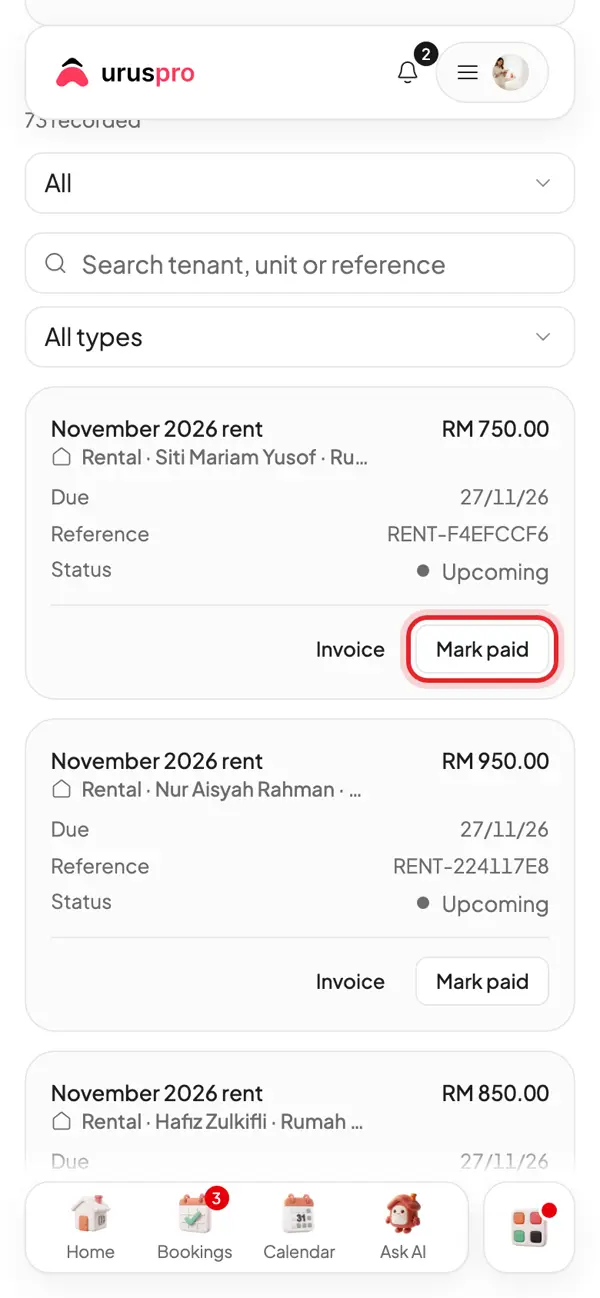
A bill paid straight to you? Tap Mark paid.
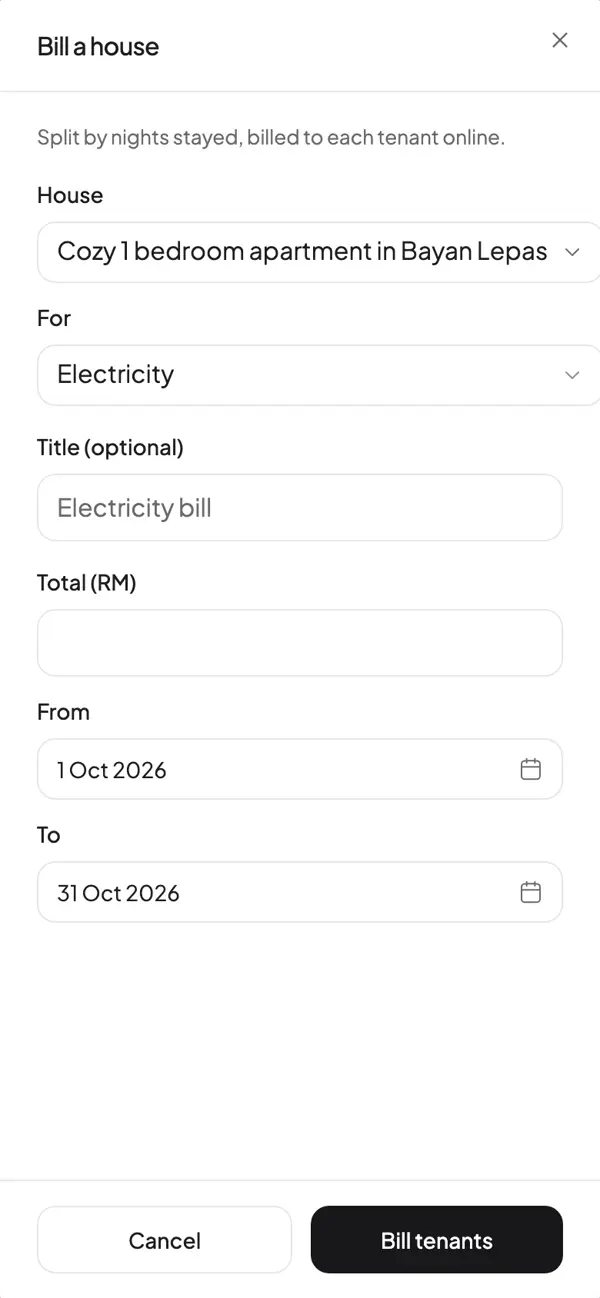
A water or electricity bill for a whole house? Tap Bill a house to split it across the tenants.
Pick the house, enter the bill amount, and each tenant gets their share.
A notice for everyone? Message a house sends one message to every tenant in that house.
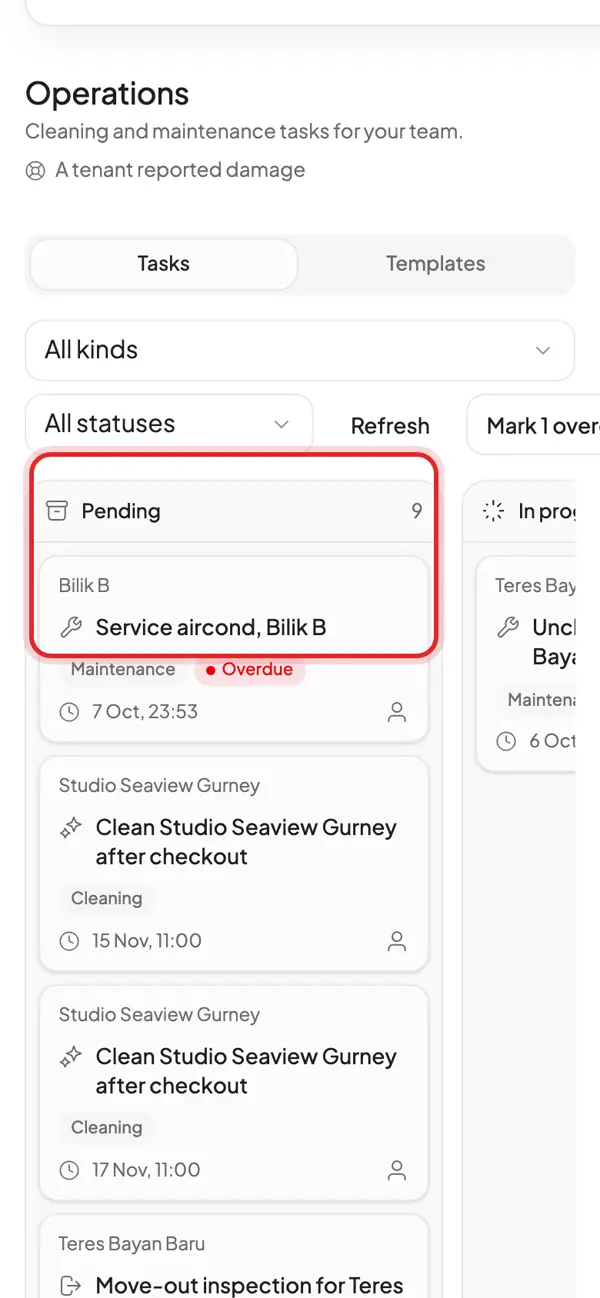
Afternoon. Operations: repair reports from tenants become tasks. Assign a fixer and follow it to done.
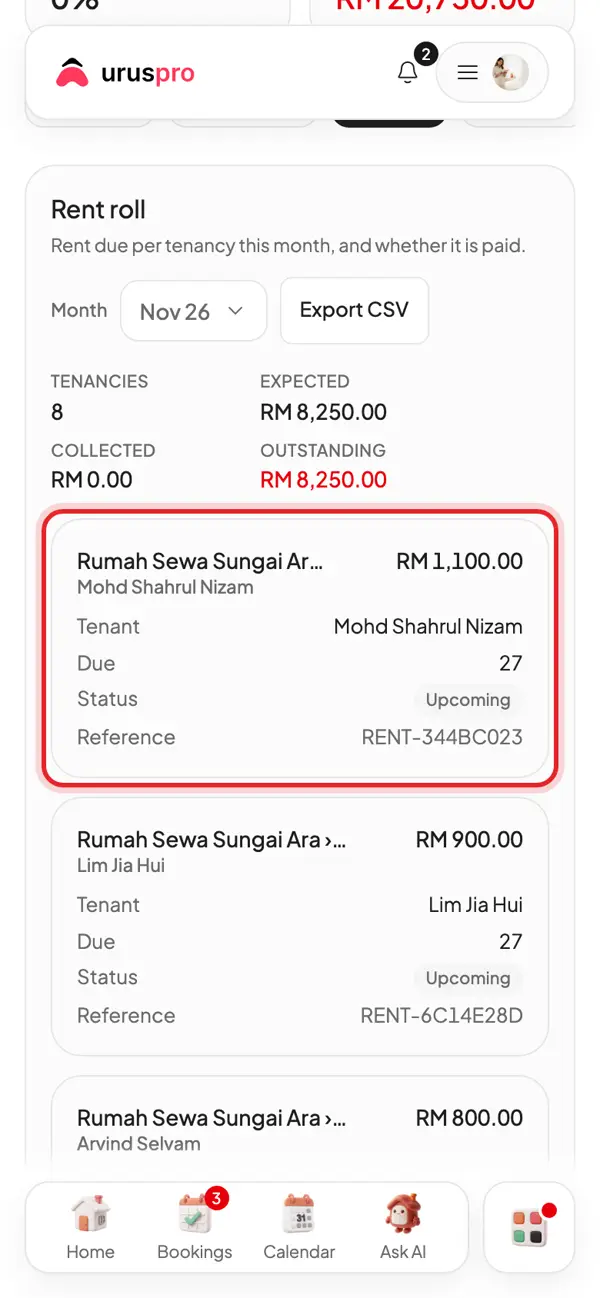
Evening. Reports, Rent roll tab: every room's rent in one table.
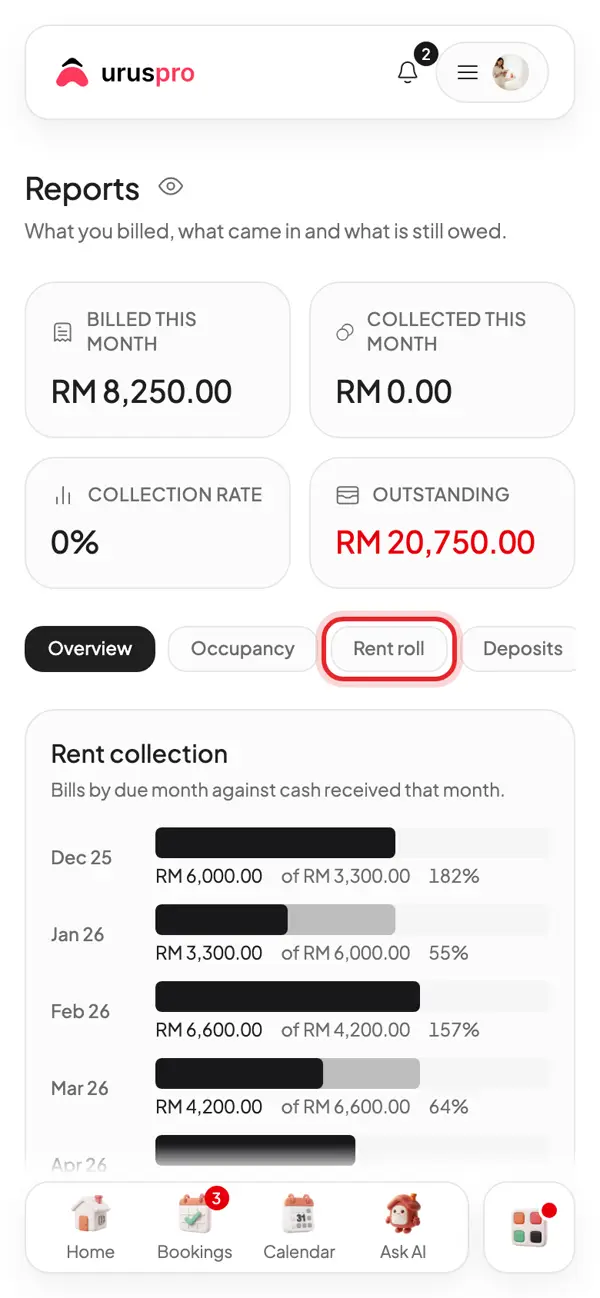
Check who has paid this month before bed. Tomorrow, start again on Home.
Common questions
A tenant paid cash. How do I record it?
Open the tenancy, Payments tab, tap Record payment on that month and pick Cash. The receipt is made for you.
Can rent reminders go out by themselves?
UrusPro notifies tenants when rent is late. For WhatsApp, tap Send to WhatsApp on that month.
How is the electricity bill split?
Bill a house splits the bill by the nights each tenant stayed in that period.